
Triathlon Calculator for Race Times, Paces & Splits
Enter your swim pace, bike speed, run pace and transition times to calculate your triathlon finish time. Or start with a goal time and work backwards into realistic race splits.
Download TriCalc free
One
triathlon
calculator
 Choose
your
distance
Choose
your
distance
 Enter
your
paces
Enter
your
paces
 Predict
your
finish
Predict
your
finish
 Save
and
compare
Save
and
compare
How the TriCalc triathlon calculator works
Choose a race distance, enter the pace or split you expect for each discipline, add T1 and T2, and see your projected finish time. Save different scenarios and compare them as your training changes.
-
Choose your triathlon distance
Select Sprint, Olympic, 70.3, 140.6 or enter custom swim, bike and run distances.
-
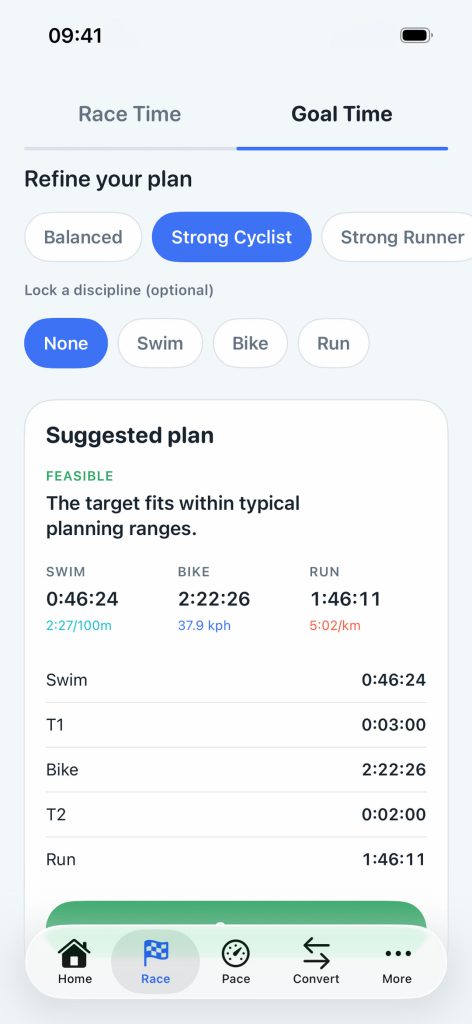
Calculate your finish time
Add swim pace, bike speed, run pace and transition times to calculate every split and your projected total.
-
Save and compare race plans
Keep conservative, target and stretch scenarios together, then refine them as your training progresses.
Race Time
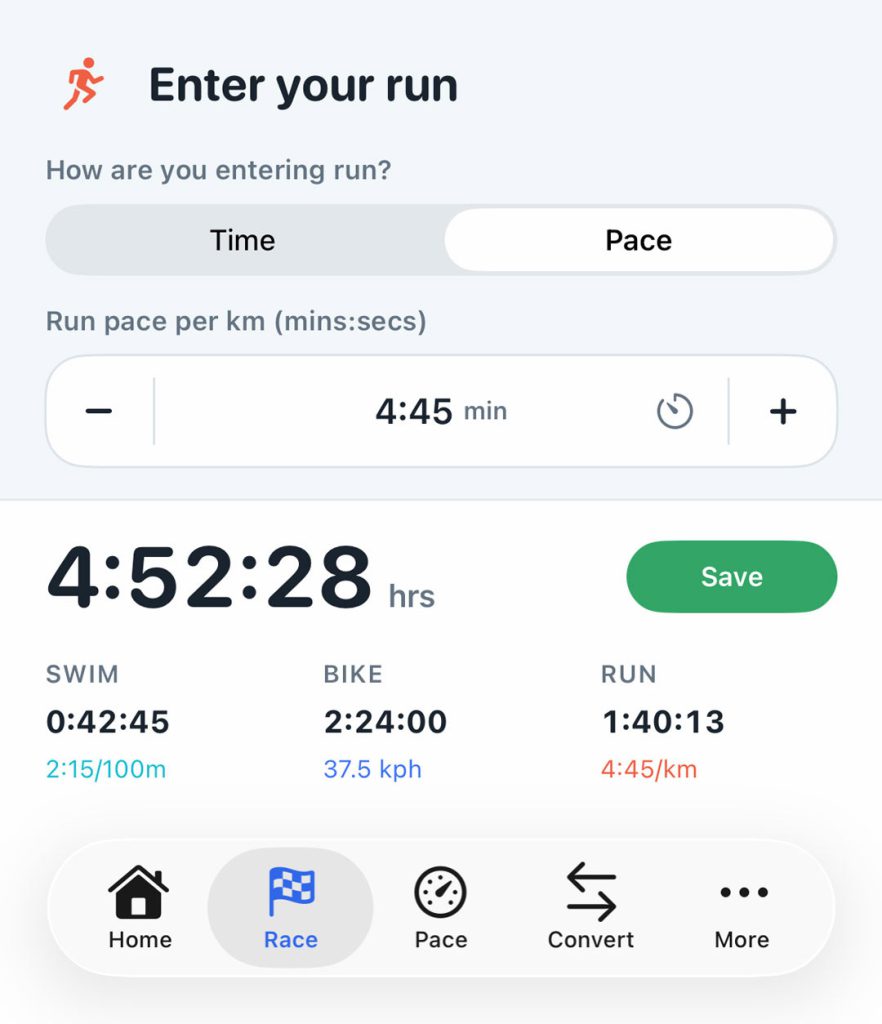
Calculate your triathlon finish time
Combine swim pace, bike speed, run pace and both transitions to see every race split and your projected total time.
- Swim, bike, run, and transitions in one plan
- Time-led and pace-led inputs where they matter
- Standard presets plus custom race distances

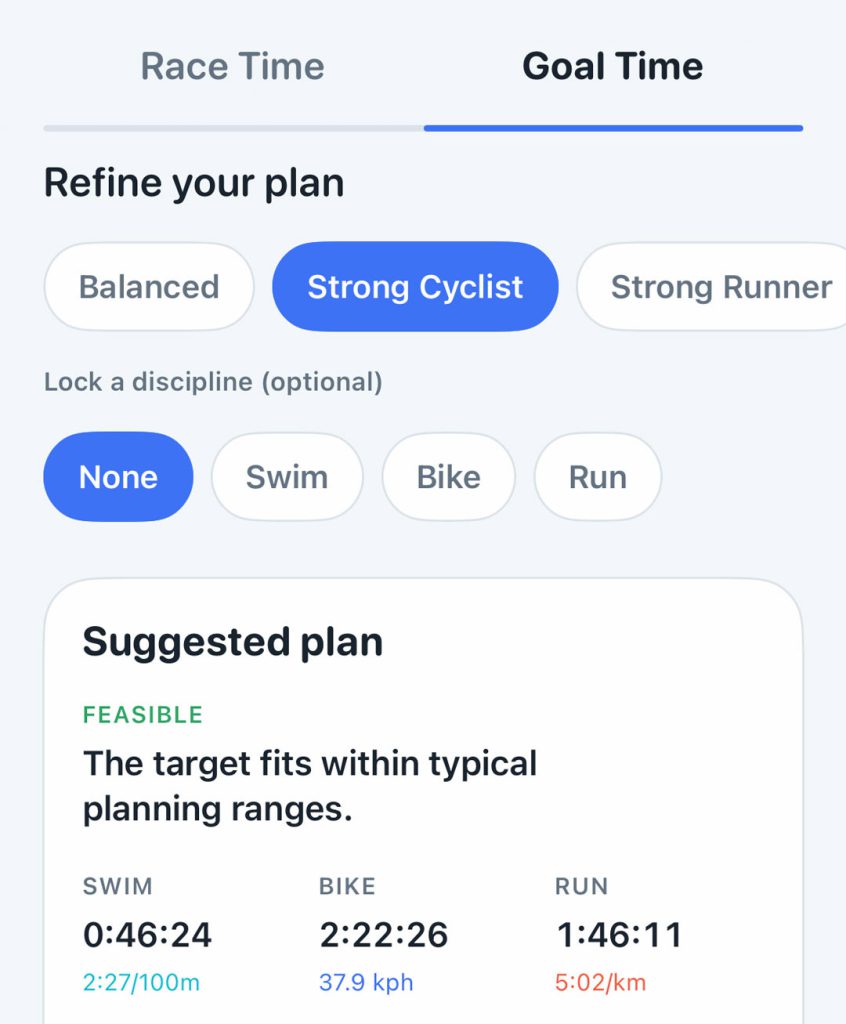
Goal Time
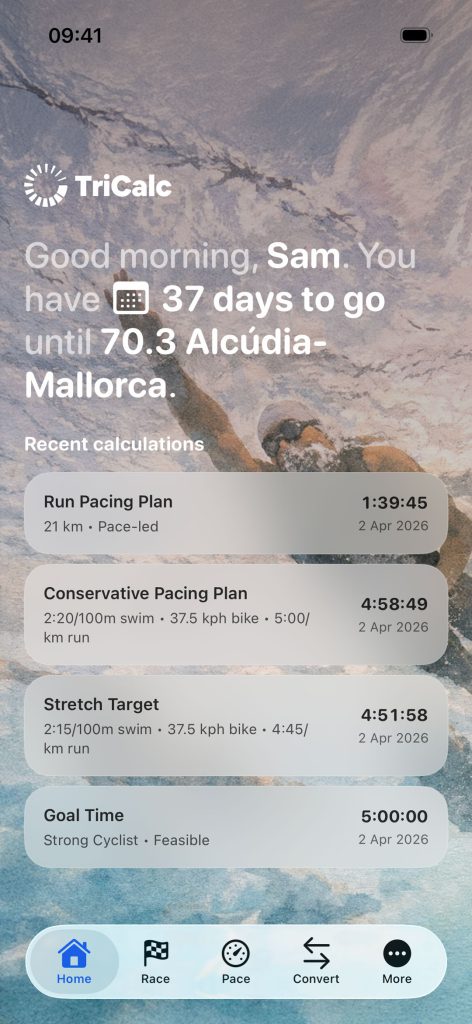
Calculate race splits from a goal time
Enter the finish time you want, then build and rebalance the swim, bike, run, T1 and T2 splits needed to reach it.
- Work backwards from your target time
- Rebalance around your strongest discipline
- Feasibility feedback, not just raw splits

Save and Restore
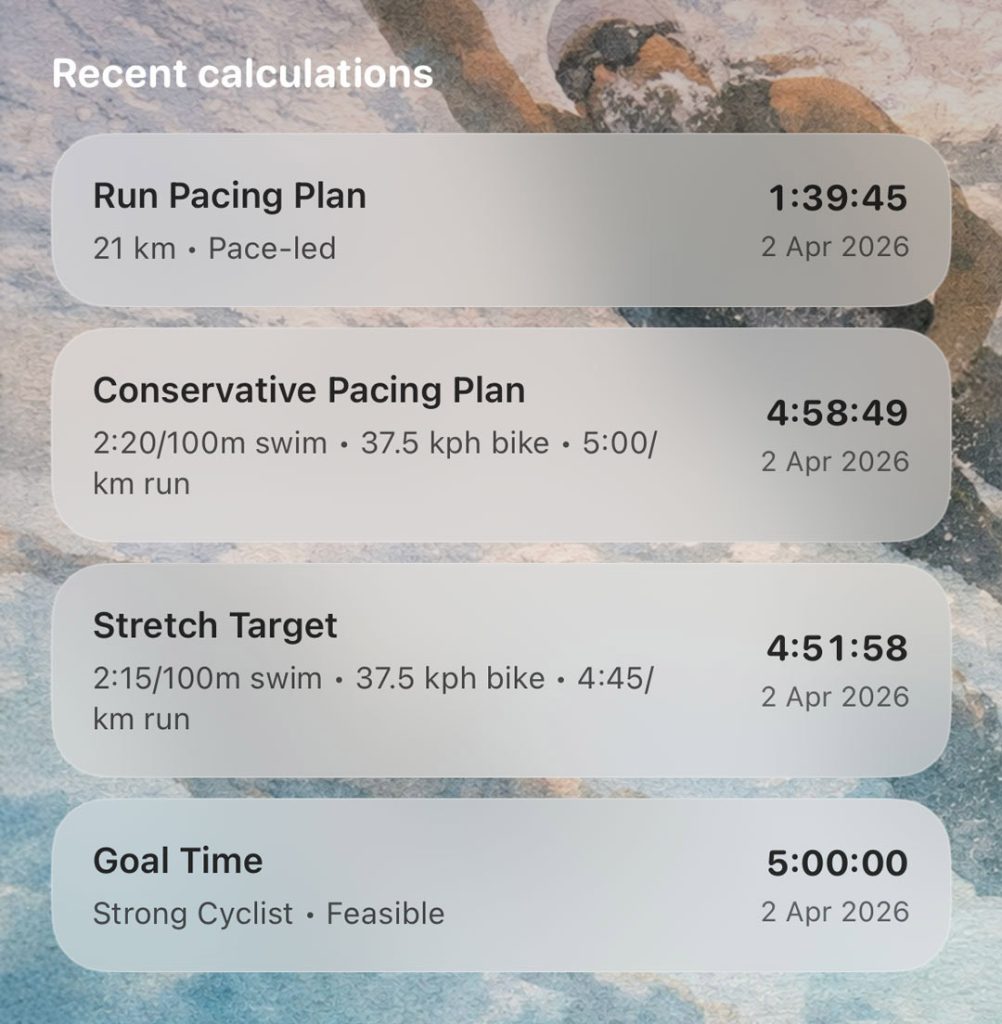
Compare triathlon pacing scenarios
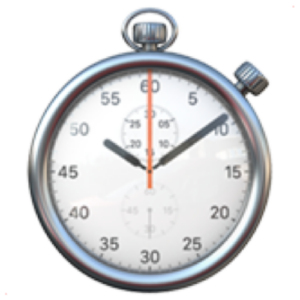
Save conservative, target and stretch race plans side by side, then reopen and refine them as your fitness changes.
- Save multiple versions of the same race
- Restore straight back into the right tool
- Compare plans without starting over

Triathlon distances you can calculate
| Distance | Swim | Bike | Run |
|---|---|---|---|
| Sprint | 750 m | 20 km | 5 km |
| Olympic | 1.5 km | 40 km | 10 km |
| 70.3 / middle-distance | 1.9 km | 90 km | 21.1 km |
| 140.6 / full-distance | 3.8 km | 180 km | 42.2 km |
| Custom | Your distance | Your distance | Your distance |
Frequently asked questions
Everything you need to know about planning smarter, comparing race scenarios, and getting more from TriCalc.
-
Is TriCalc free to use?
You can download TriCalc for free and use the Race Time calculator to plan your swim, bike, run and transition splits. The complete toolkit, including goal-time planning, saved race plans, scenario comparisons, FTP, TSS and power-zone tools, is available through a one-time Lifetime Access purchase.
-
What does a triathlon calculator calculate?
TriCalc combines your swim pace, bike speed or split time, run pace, and T1 and T2 transition times to calculate each race split and your projected total finish time. You can also start with a target finish time and work backwards to create a complete race plan.
-
How accurate is a triathlon finish time calculator?
A triathlon calculator is only as accurate as the information you enter. Use realistic race-day paces based on recent training rather than personal-best efforts. Course elevation, weather, water conditions, fatigue, nutrition and transition layout can all affect your actual result, so TriCalc should be used as a planning tool rather than a guaranteed prediction.
-
Which triathlon distances does TriCalc support?
TriCalc includes presets for Sprint, Olympic, 70.3 middle-distance and 140.6 full-distance triathlons. You can also create a custom race using your own swim, bike and run distances.
-
Can I calculate race splits from a target finish time?
Yes. Enter your target finish time and TriCalc will help you build a realistic swim, bike, run and transition plan around it. You can choose a balanced plan, prioritise a stronger cycling or running split, lock a discipline, and adjust the suggested splits to suit your strengths.
-
Can TriCalc tell me whether my goal time is realistic?
TriCalc assesses your planned splits and indicates whether your target appears realistic, challenging, unrealistic or impossible. This feedback can help you identify where a goal may need to be rebalanced, but it should always be considered alongside your training, fitness and expected race conditions.
-
Can I save and compare different race plans?
Yes. With Lifetime Access, you can save multiple versions of the same race, such as conservative, target and stretch plans. You can compare their predicted finish times and reopen any plan later without entering everything again.
-
Do I need an account or internet connection?
No account is required, and TriCalc is designed to work offline. Your calculations and saved race plans are stored locally on your device. TriCalc does not use advertising, third-party tracking or collect your personal race data.
-
Is TriCalc useful for runners, cyclists and swimmers?
Yes. Although TriCalc is primarily designed for triathletes, its individual tools can calculate swim pace, cycling speed and time, running pace, finish times, splits, FTP, TSS and cycling power zones.
-
Is TriCalc available for iPhone, iPad and Android?
TriCalc is currently available for iPhone and iPad and requires iOS or iPadOS 18.0 or later. It is not currently available for Android.
Download TriCalc for iOS
Predict your finish time, reverse-plan race goals, and compare pacing scenarios in one focused app built for triathletes.